Curipod Review (2026): Features, Pricing, Free Plan & Honest Verdict
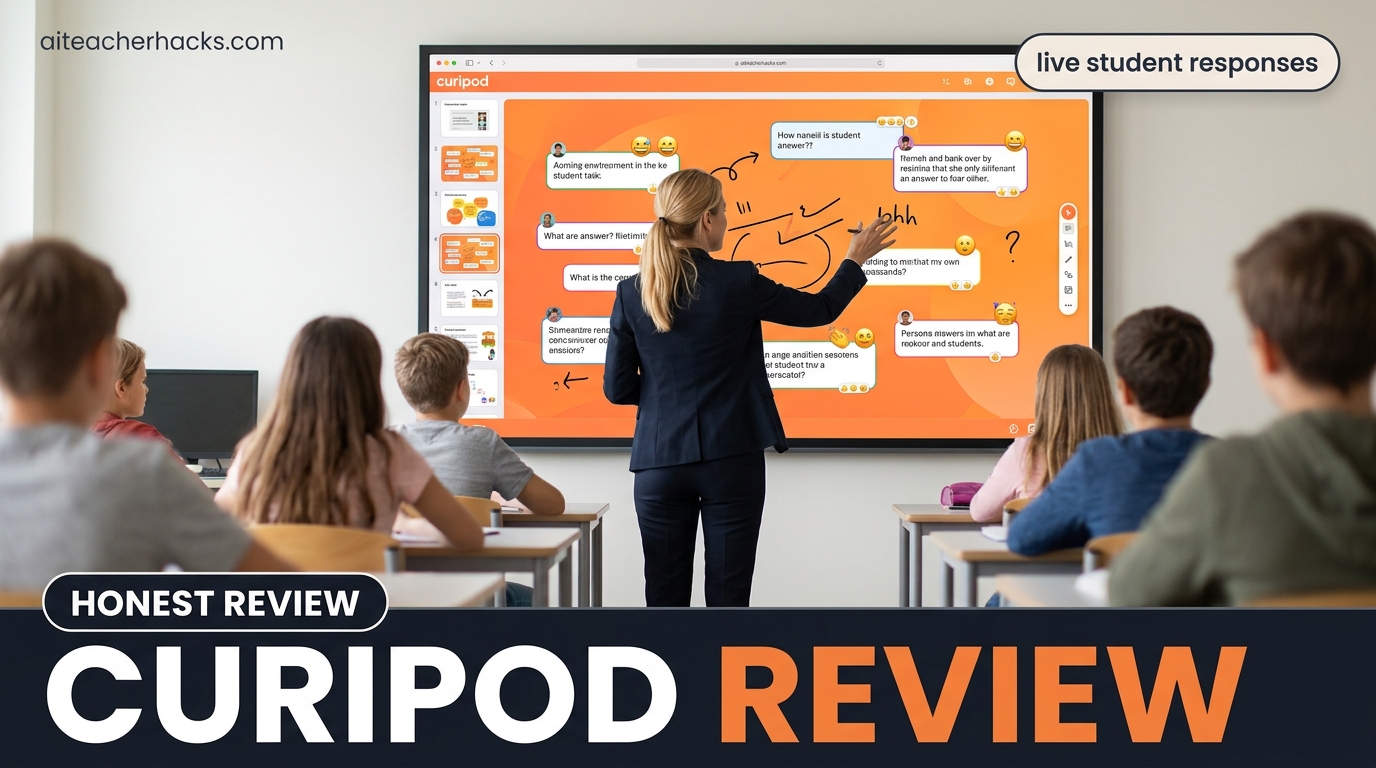
Most AI tools for teachers save time behind the scenes — lesson planning, grading, parent emails. Curipod solves a different problem entirely.
For many teachers, the hardest part isn’t planning—it’s keeping students engaged during the lesson. It is the moment when 30 students are sitting in front of you and half of them are mentally somewhere else. Curipod is built specifically for that moment — making the classroom interaction more active, more visible, and more responsive without requiring hours of prep or design skills.
In this Curipod review I will cover exactly what it does, how the free plan actually works, where it outperforms Kahoot and Nearpod, what it genuinely cannot do, and whether it belongs in your toolkit in 2026.
Table of Contents
What Is Curipod?
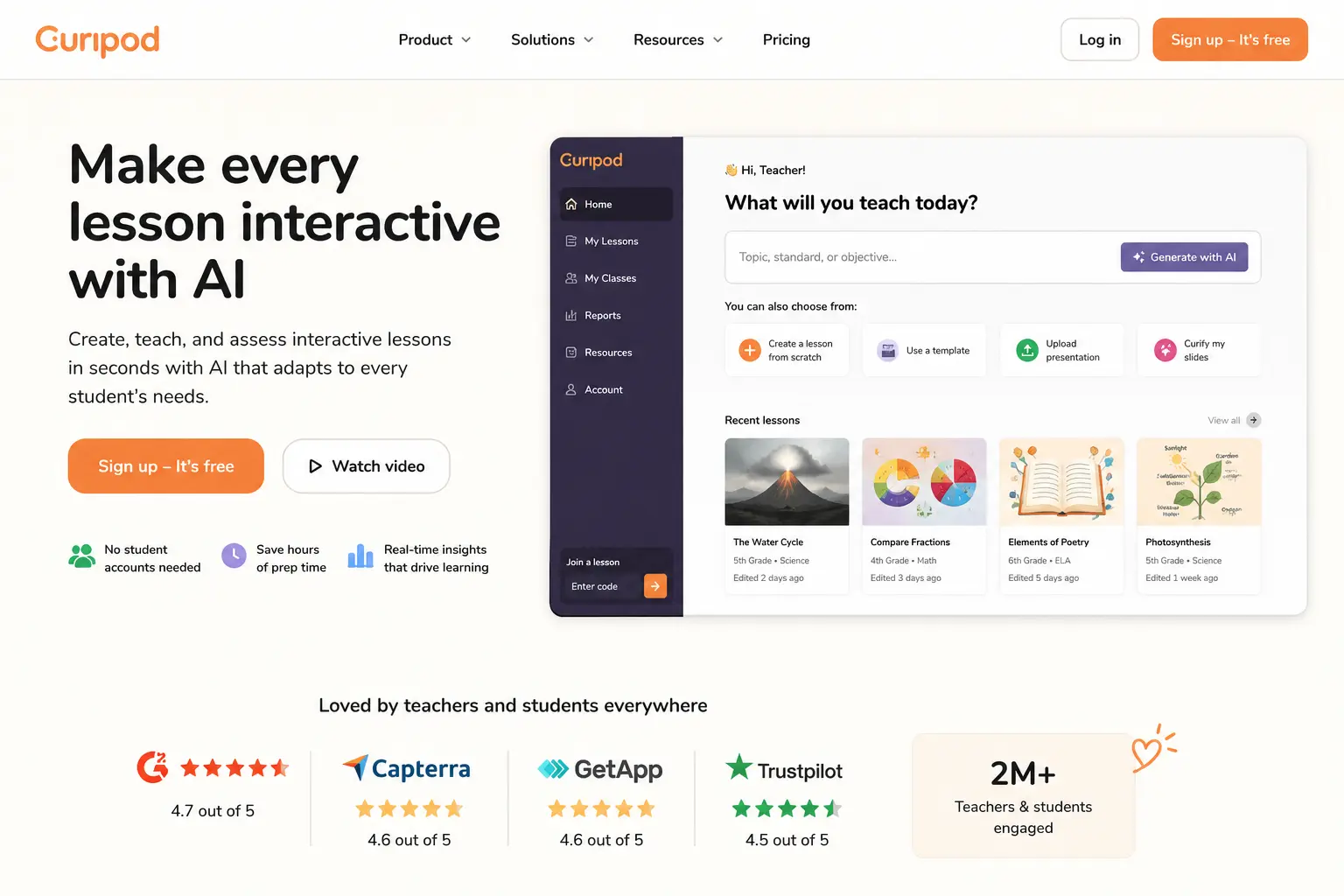
Curipod is one of the strongest AI tools for classroom engagement in 2026 — not because it automates teacher work, but because it makes student participation more visible and more active. Curipod is an AI-powered interactive lesson platform that helps teachers create and deliver slide-based lessons with built-in student response activities. Think of it as a presentation tool combined with a student response system, powered by AI that generates the lesson structure for you.
The core workflow is simple: describe your topic and learning objective, and Curipod generates a complete interactive lesson with slides, polls, open-ended questions, word clouds, drawing activities, and reflection prompts. Students participate in real time through any device using a room code — no accounts required.
Curipod has seen explosive search-interest growth of strong year over year going into 2026 — an active, well-funded, well-loved product, not a stalled one. That growth reflects genuine teacher-to-teacher recommendation, not marketing spend.
Who Is Curipod Actually For?
Teachers who use Curipod effectively tend to teach with slides and value student voices in the room. The tool amplifies a teaching style that already prioritizes interaction.
Curipod works best for:
- Teachers whose biggest classroom challenge is engagement and participation — not planning or grading
- Teachers who already use slides and want to make them interactive without rebuilding from scratch
- Elementary and middle school teachers where live participation activities create the most energy
- Teachers who want every student responding — not just the handful who raise their hands
Curipod is not the right choice if the goal is behind-the-scenes productivity — tools like MagicSchool AI or Brisk Teaching are better for planning, grading, and feedback workflows. Differentiation is better served by Diffit for adapting reading levels and content complexity.
This distinction matters. Curipod does one thing exceptionally well — the live classroom delivery moment. Outside that lane, other tools do the job better.
What Curipod Actually Does — Feature by Feature
1. AI Lesson Generator — The Core Feature
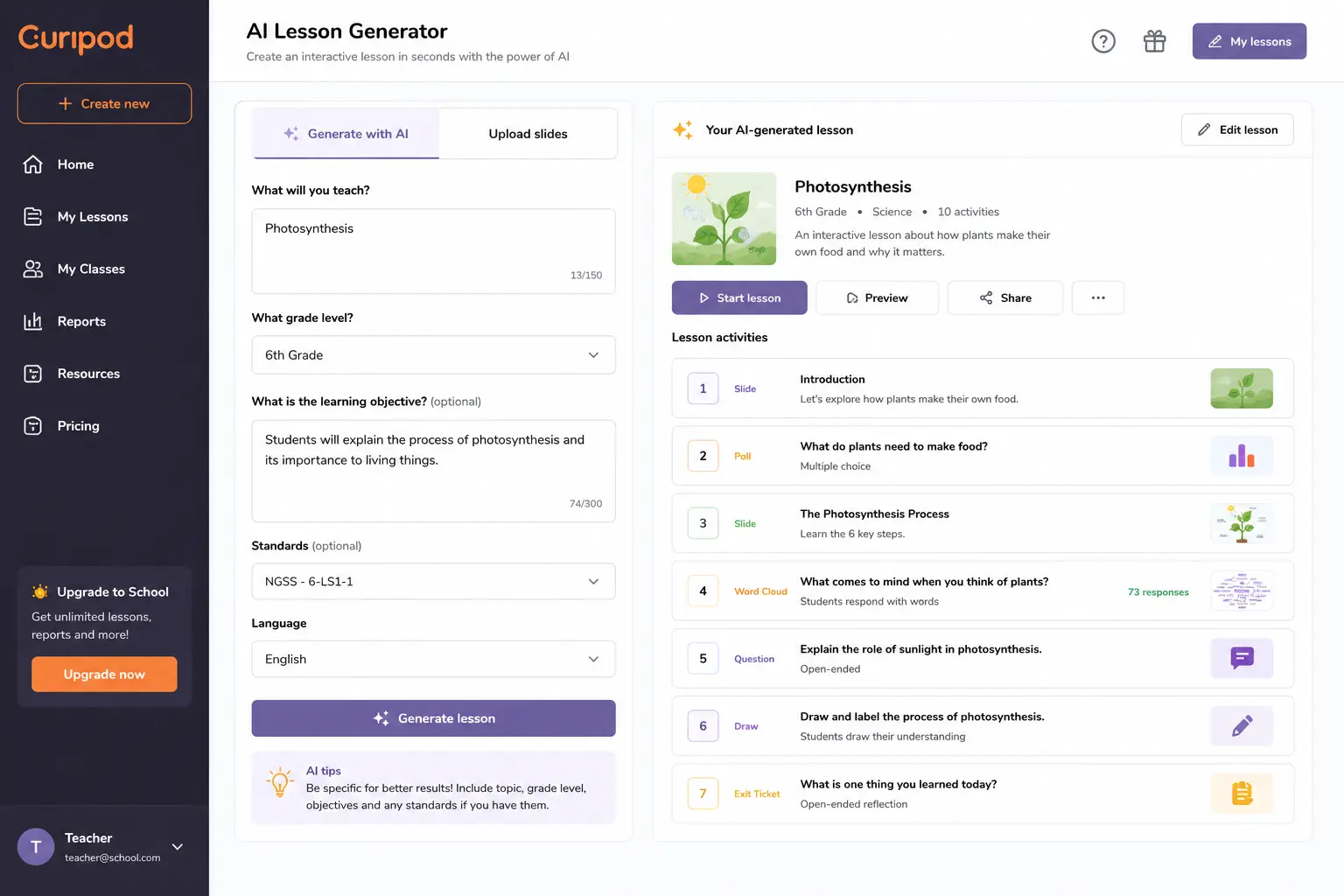
The core workflow feels almost suspiciously simple: you describe what you want to teach, Curipod generates the lesson structure, and you are reviewing slides within seconds. The AI pulls from your state standards automatically, so a Texas teacher gets TEKS alignment and a California teacher gets CCSS without specifying.
The generated lesson includes a mix of:
- Content slides with explanations
- Poll questions with multiple choice responses
- Open-ended written response prompts
- Word clouds for class brainstorming
- Drawing activity slides
- Exit ticket slides
What separates this from just making a presentation in Canva is that every interactive element is built in — students respond on their own devices, you see responses in real time, and the class can discuss the results together.
2. Live Student Response — The Most Valuable Classroom Feature
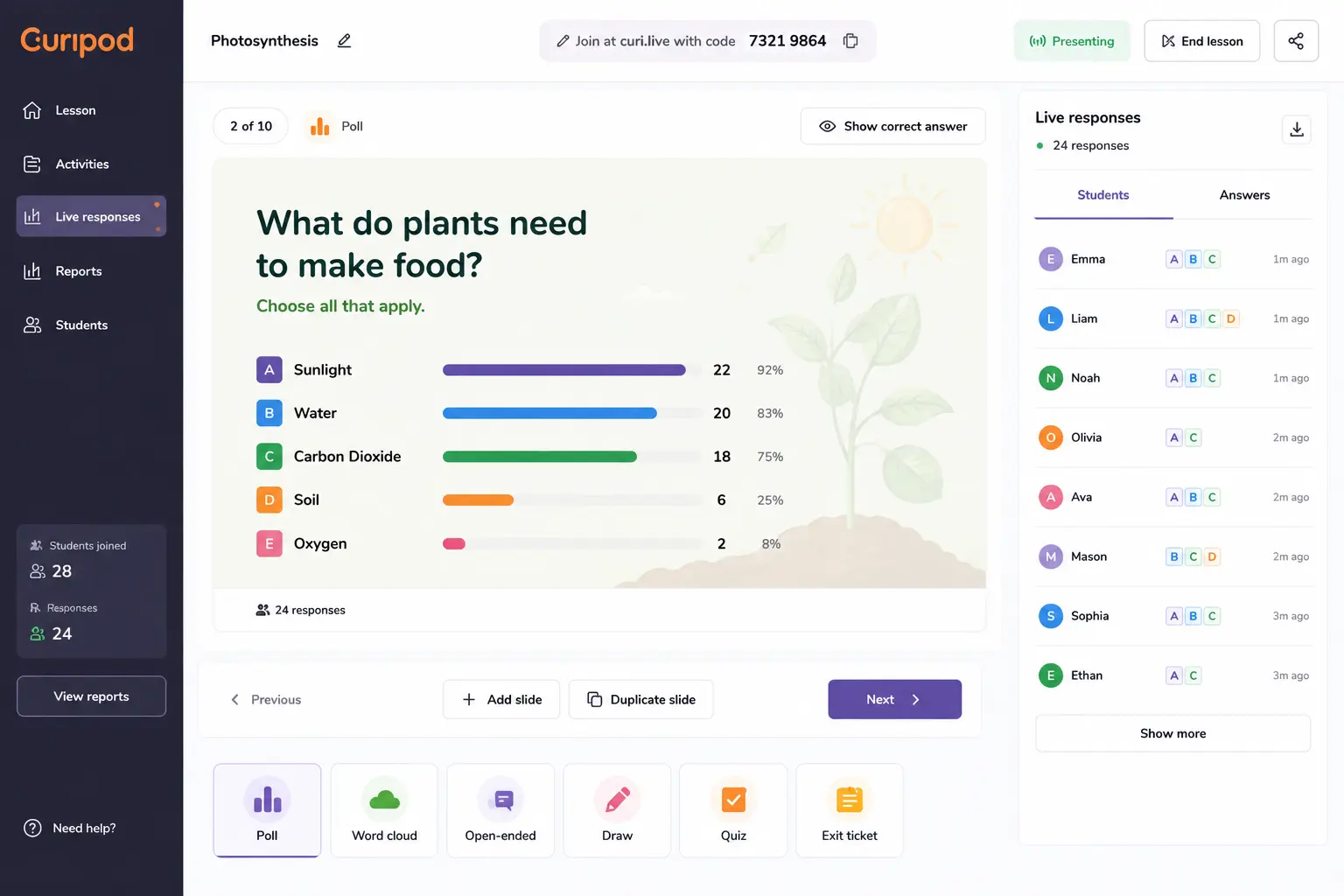
You generate a lesson in Curipod, then project it. Students join via a room code on any device. As you advance slides, students respond to polls, word clouds, and questions in real time, and you see their responses live.
This real-time visibility is what most teachers find most transformative. Instead of asking a question and calling on one student, you ask a question and see every student’s response simultaneously. You know immediately who understood and who did not — before moving on.
Every student responds — not just a few hands. Active intellectual work, not passive listening. Real-time evidence that teachers can use to adjust on the fly.
3. AI Feedback on Student Responses
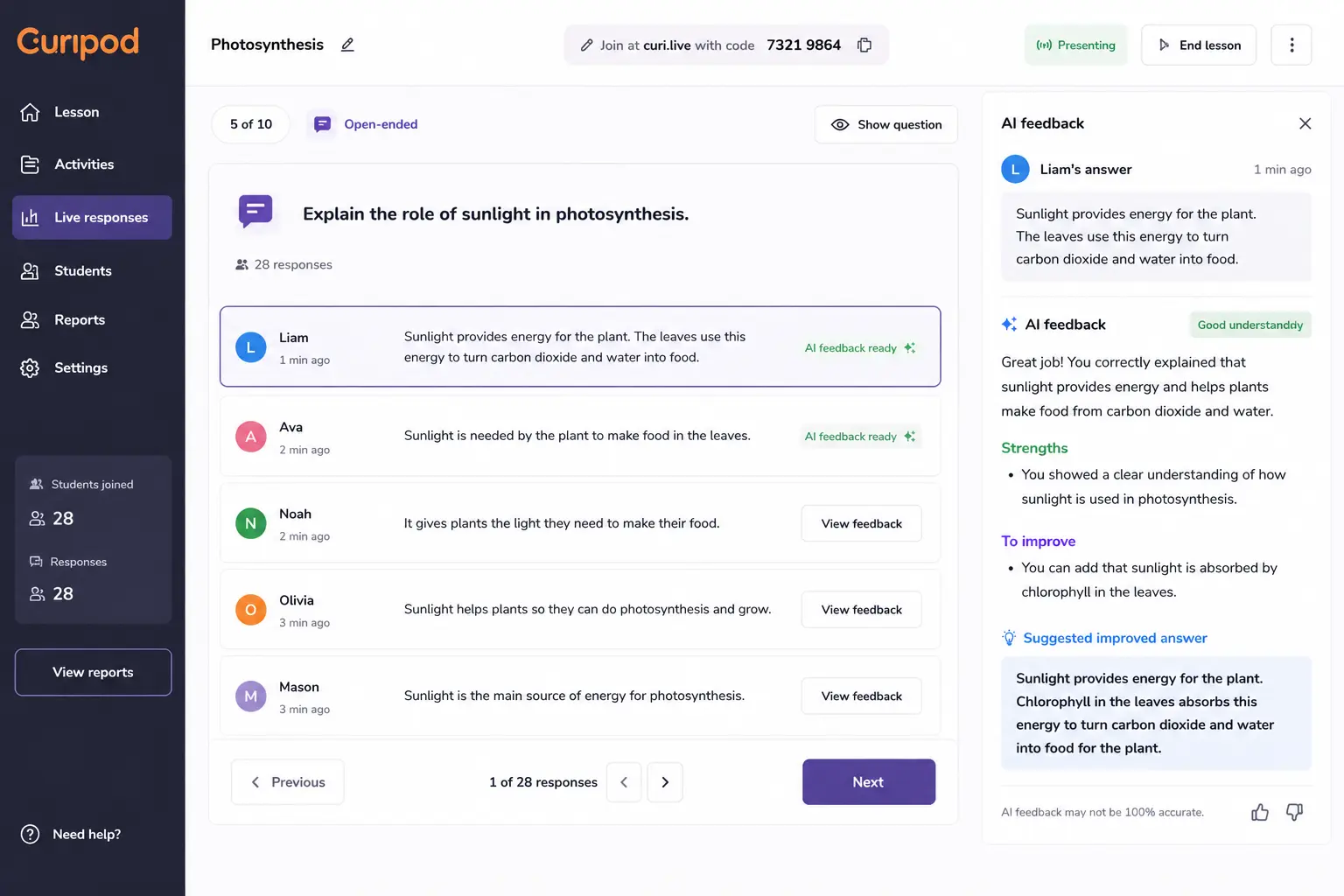
This is Curipod’s most distinctive feature and the one most reviews underemphasize. When students submit written responses, Curipod’s AI generates personalized feedback for each student immediately.
Students get feedback the moment they submit. They read it. They discuss it. They try again. All in the same class period.
The pedagogical cycle of write → get feedback → revise → discuss happens within a single lesson — something that normally requires days of turnaround time. For writing instruction specifically, this immediate feedback loop is genuinely significant.
4. "Curify" Your Existing Slides
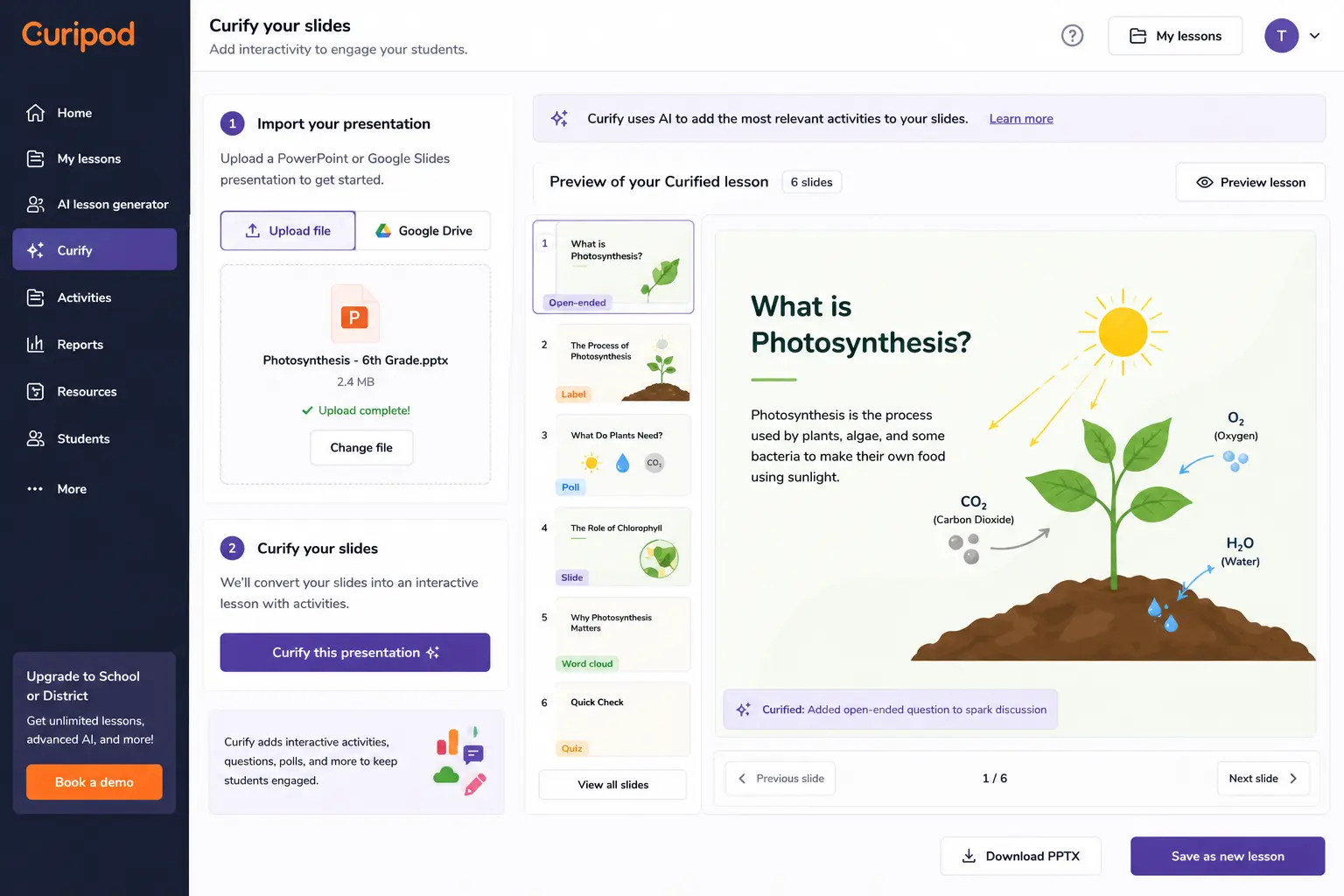
Teachers can choose the topic they want Curipod to create lessons on or they can use their own slides — Curipod can “Curify” a lesson you have already created to make it interactive.
This is underused by most teachers. You do not have to start from scratch. Upload your existing PowerPoint or Google Slides presentation, and Curipod adds interactive response activities throughout. Your content stays — it just becomes participatory.
5. Bell Ringer Generator
The real time-saver is the bell-ringer generator — one G2 reviewer noted they can plan a whole week of starters in ten minutes, which matters when you are teaching five sections daily.
For teachers who start every class with a warm-up or bell ringer activity, Curipod generates an entire week of interactive starters aligned to your current unit in minutes.
6. Test Prep — Standards-Aligned Practice
Curipod includes test prep access with thousands of standards-aligned state test prep lessons for all 50 states for grades 3 through 12 plus ACT.
For teachers in tested grades, the pre-built test prep library removes the preparation time entirely — browse, customize, and run rather than building from scratch.
7. Student Writing Improvement Data
Students in Curipod classrooms improved up to 23 percentage points on state reading and writing tests, with the furthest-behind students making the biggest gains. Case studies based on official state test data from the California Department of Education and the Texas Education Agency.
That is a significant data point — and one that most EdTech tools cannot claim from official state test data rather than internal surveys.
What the Free Plan Actually Includes
The free tier: genuinely usable, with weekly session caps. The live response view during the lesson is on every plan. The persistent lesson reports and student-level Glow and Grow summaries are paid-only. On the free plan you can teach the lesson and see the room, but you cannot revisit who understood what after the bell.
Honest free plan assessment:
The free tier works for light experimentation, but the credit limits hit fast if you are teaching multiple sections — most teachers upgrade within weeks.
The critical limitation: Student reports — including Glow and Grow summaries that highlight individual student strengths and areas for improvement — are available on the School Plan only for lessons taught after May 6, 2026.
This matters. The free plan lets you run engaging lessons. The paid plan lets you use the data from those lessons to inform future instruction. If formative assessment data is important to you, the paid plan is necessary.
Curipod Pricing
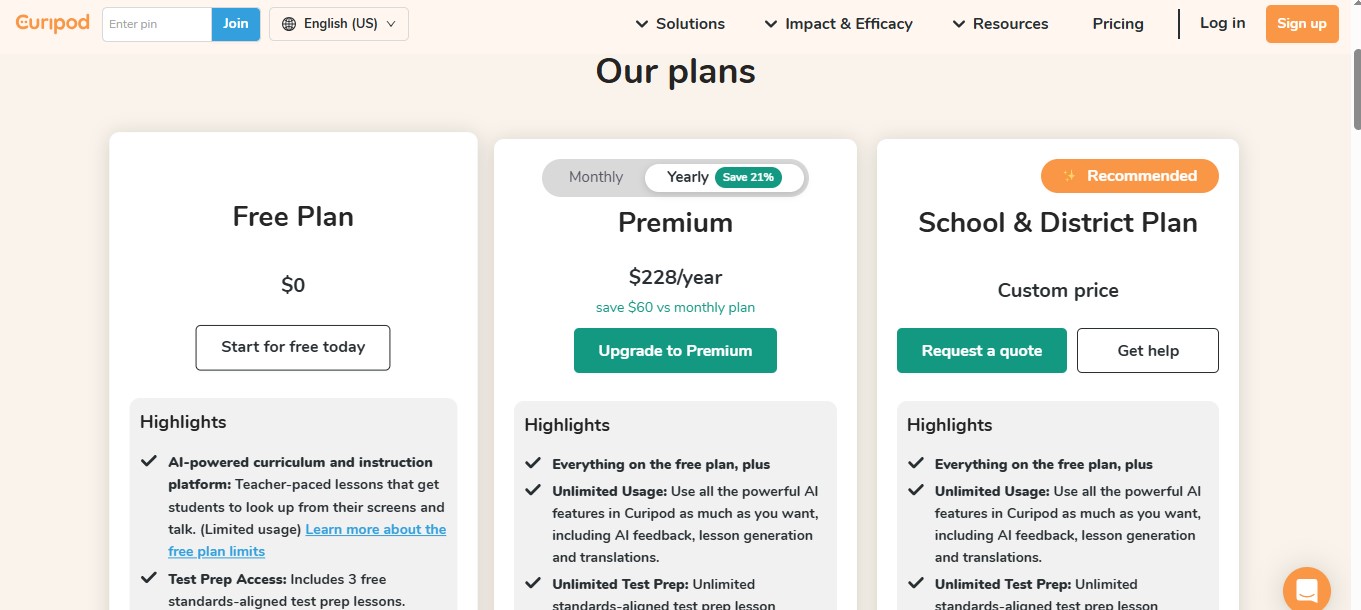
Pricing is a two-tier structure: Free (genuinely usable, with weekly session caps) and School and District (custom-priced quote tier with unlimited usage, lesson reports, Glow and Grow student summaries, and priority support). Curipod does not publish a per-user dollar figure for its paid tier — you contact sales for pricing tied to your school’s size and needs.
Free Plan | School & District Plan |
|---|---|
$0 | Custom Price (contact sales) |
✓ AI lessons (weekly session cap) | ✓ Unlimited AI lesson generation |
✓ Interactive classroom activities | ✓ Student reports & Glow/Grow summaries |
✓ Slide deck import | ✓ School-wide deployment & priority support |
Honest take on paid pricing: The lack of a public price point is frustrating for individual teachers. Custom pricing means you will need to go through your department head or district procurement rather than swiping a card. Curipod is clearly designed for school and district adoption rather than individual teacher subscriptions.
Curipod Pros and Cons
Pros
- Easy onboarding — teachers report being able to run a full participation lesson within 15 minutes of first signup
- Live polls are clean, fast, and reliable — the bread-and-butter engagement feature works exactly as promised
- AI activity generation is well-pitched at the topic and grade level you supply — the deck is teachable as-is
- No student accounts required — students join with a code on any device
- FERPA, COPPA, and GDPR compliant
- Proven learning outcomes — up to 23 percentage point improvement on state tests in documented case studies
- Works with existing slides via “Curify” feature
- Standards alignment auto-populates for US teachers
Cons
- There is a learning curve — teachers have to invest time into getting the whole concept in order for students to fully grasp the material on their end
- Student reports locked behind paid School plan — free users cannot review post-lesson data
- Paid pricing is custom-quoted — no public per-teacher price
- Standards alignment is anchored to US K-12 frameworks — teachers in NZ, Australia, and UK do not get automatic curriculum alignment
- Not a lesson planning tool — needs to be used alongside MagicSchool AI or ChatGPT for full prep workflow
- No differentiation features — all students see the same content level
What Curipod Still Cannot Do
This matters before recommending it to your school.
Curipod cannot replace MagicSchool AI for lesson planning, IEPs, or the 80+ teacher productivity tools that handle behind-the-scenes preparation. It cannot replace Diffit for differentiated reading materials — all students in a Curipod lesson see the same content level. It cannot replace Brisk Teaching for grading written work in Google Docs.
Curipod fills a niche that most AI tools ignore: making the classroom moment more active, visible, and student-responsive. It is not the best tool for behind-the-scenes productivity, but it may be the most impactful tool for what happens when instruction is actually happening.
Curipod vs Kahoot — Which Is Better?
This is the most common comparison teachers make. Here is the honest breakdown:
Kahoot wins on competitive gamification energy — nothing matches it for a Friday review game. Curipod wins on depth of interaction — open responses, word clouds, drawing activities, and AI feedback make it more suitable for actual instruction rather than just review. Read our full guide on how to use Kahoot AI features for the complete Kahoot breakdown.
Many teachers use both — Curipod for instruction and formative checks, Kahoot for review games and fun.
Feature | Curipod | Kahoot |
|---|---|---|
AI lesson generation | ✓ Full lesson | △ Quiz only |
Live engagement | ✓ Excellent | ✓ Excellent |
Open-ended responses | ✓ Yes | ✕ No |
Word clouds | ✓ Yes | ✕ No |
Drawing activities | ✓ Yes | ✕ No |
Written feedback | ✓ AI-generated | ✕ No |
Competition/gamification | ✕ No | ✓ Yes |
Free plan usability | ✓ Good | △ Limited |
Student accounts needed | ✕ No | ✕ No |
Standards alignment | ✓ Auto US | △ Manual |
Curipod vs Nearpod
Nearpod is the older, broader US-market interactive lesson platform with a deeper content library including lessons, videos, simulations, and VR, plus stronger LMS integrations — it is the more institutional choice and the more expensive one. Curipod is the newer, lighter, faster product with a generous free tier, an excellent AI activity generator, and the strongest single-feature word cloud experience on the market.
Most teachers comparing them pick on price — Curipod free vs Nearpod paid — and freshness — Curipod feels like the 2026 product, Nearpod feels like the 2018 product that still works.
My Recommended Workflow: Where Curipod Fits
The natural workflow for many teachers is: use a planning tool to generate the lesson plan, worksheet, and rubric aligned to your curriculum, then take the topic into Curipod to build the live interactive deck for in-class delivery. You are using each tool for the part of the workflow it is actually optimized for.
Here is the complete weekly workflow:
Before class (planning):
-
- MagicSchool AI — lesson plan and learning objectives
-
- Diffit — differentiated reading materials
-
- ChatGPT — rubrics and assessments
During class (delivery):
-
- Curipod — interactive lesson delivery with live polls, word clouds, open responses, and AI feedback
After class (assessment):
-
- Brisk Teaching — written feedback on longer assignments
-
- Curipod Glow and Grow reports (paid) — individual student response data
Mistakes Teachers Make with Curipod
Using it every single day. Curipod is most effective when used strategically — not as the daily default. When every lesson is interactive slides, students lose the novelty that drives engagement. Use it for lesson launches, formative checks, and review — not for every instructional moment.
Not trying “Curify” on existing slides. Most new Curipod users build lessons from scratch when their existing presentations could be made interactive in minutes. Try Curify before starting from scratch.
Skipping the word cloud activity. Word clouds are Curipod’s most underused feature and arguably its most powerful for activating prior knowledge and surfacing misconceptions. Start units with a word cloud prompt — “Write one word that comes to mind when you think about [topic]” — and use what appears to guide your instruction.
Expecting it to replace lesson planning tools. Teachers who try to use Curipod for both planning and delivery end up with lessons that are interactive but pedagogically thin. Use MagicSchool AI or ChatGPT for the planning substance, then bring it to life in Curipod.
Not checking the test prep library. Most teachers discover Curipod’s AI lesson generator and never explore the pre-built test prep library. For teachers in tested grades, thousands of ready-made standards-aligned test prep lessons are waiting to be used — no AI generation credits required.
Final Verdict — Is Curipod Worth It in 2026?
Curipod is one of the strongest AI tools for classroom engagement in 2026 — not because it automates teacher work, but because it makes student participation more visible and more active. Rating: 4.3/5 — Strongest tool for interactive classroom engagement with AI-generated lesson delivery.
If your bottleneck is the live participation moment — keeping the room with you, surfacing student thinking quickly, running clean polls and word clouds, generating an instant-ready interactive lesson — yes, comfortably. Curipod is the cleanest tool in the category at that specific job.
Start with the free plan. Generate your first lesson, run it with students, and watch what happens when every student responds instead of the usual handful. That experience is the real reason to keep using it.
After reviewing dozens of AI tools for teachers throughout 2026, Curipod stands out because it focuses on classroom engagement instead of lesson preparation.
Weighing it against Kahoot specifically? See our Curipod vs Kahoot comparison — open-ended reflection vs. competitive review.
Want to compare Curipod side by side against any of 100+ other AI tools? Try our AI tool comparison tool.Frequently Asked Questions
Yes — Curipod has a free tier that is genuinely usable with weekly session caps. The free plan includes AI lesson generation, live polls, word clouds, and drawing activities. Student reports and Glow and Grow summaries require the paid School and District plan.
Yes — Curipod is FERPA, COPPA, and GDPR compliant for school deployment. Student data privacy is managed without requiring student accounts for standard classroom use.
One Response