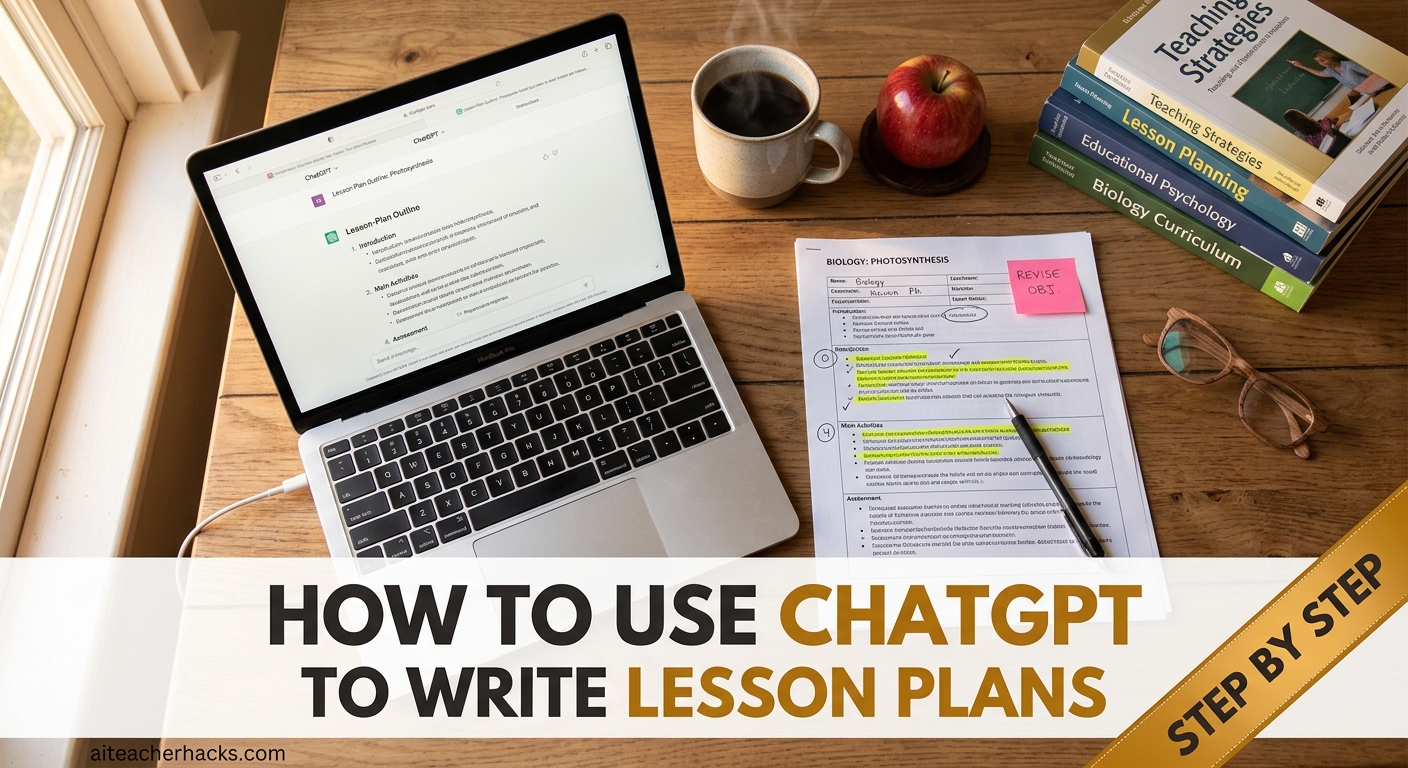
Using ChatGPT for lesson plans can turn a blank page into a solid first draft in minutes, if you know what to ask for.
Creating a lesson plan from scratch means choosing objectives, planning activities, preparing questions, building an assessment and thinking about how to support different learners. ChatGPT can help with the first draft, but you still decide what actually fits your students and your curriculum.
This guide shows you how to use ChatGPT to write lesson plans step by step, gives you ready-to-use prompts you can copy, and explains what you should check before taking an AI-generated plan into your classroom.
Table of Contents
What Is ChatGPT and Why Should Teachers Use It?
ChatGPT is an AI tool made by OpenAI. Think of it as a smart teaching assistant that is available 24/7. It can write lesson plans, create quizzes, generate discussion questions, differentiate instructions for diverse learners, and much more.
More teachers are turning to ChatGPT for lesson planning, and for good reason. It dramatically reduces workload while helping teachers focus on what matters most: their students. The key to learning how to use ChatGPT to write lesson plans is writing specific prompts
What You Need Before You Start
- A free ChatGPT account at chat.openai.com
- Your subject, grade level, and topic ready
- About 10 minutes
That is it. No technical skills required.
How to Use ChatGPT to Write Lesson Plans in 5 Simple Steps
Step 1 — Log Into ChatGPT
Go to chat.openai.com and sign in. The free version works perfectly for lesson planning.
Step 2 — Write a Specific Prompt
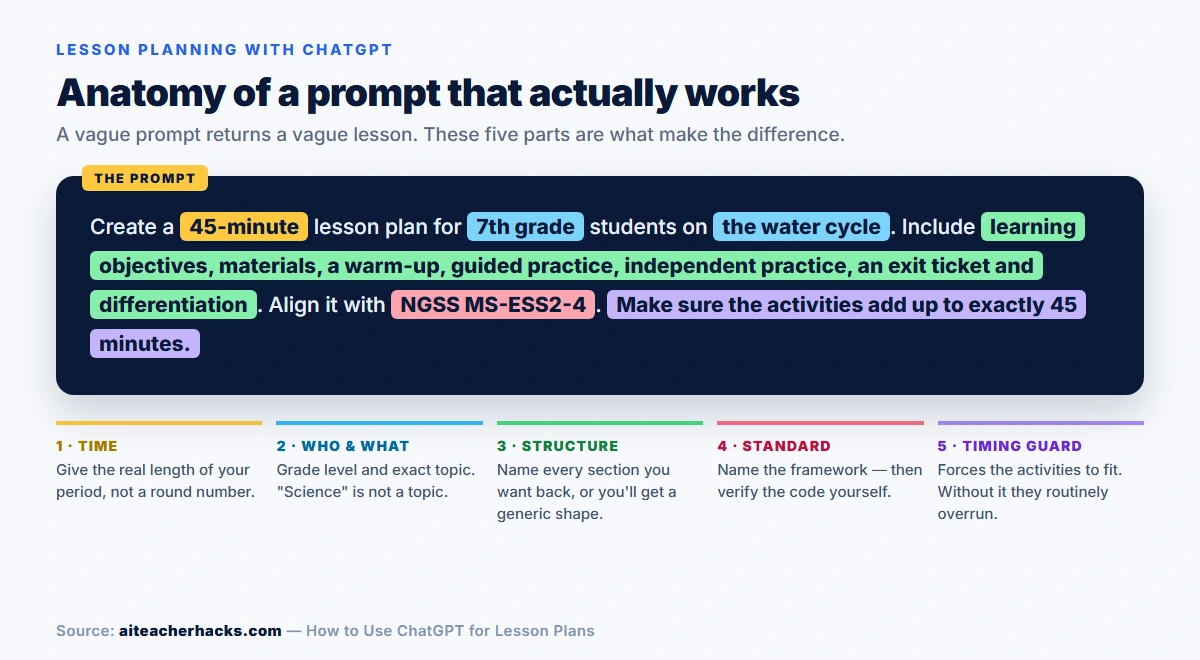
This is the most important step. A vague prompt gives vague results. A specific prompt gives you a lesson plan you can actually use in your classroom.
Here is a proven prompt template:
“Create a detailed lesson plan for [grade level] students on [topic]. Include learning objectives, materials needed, introduction activity, main activity, assessment method, and total time of [X] minutes. Align the lesson with [curriculum, standard or framework].”
Example:
“Create a detailed lesson plan for 5th grade students on the water cycle. Include learning objectives, materials needed, introduction activity, main activity, assessment method, and total time of 45 minutes. Align the lesson with [curriculum, standard or framework].”
Step 3 — Review and Customize
ChatGPT will generate a full lesson plan in seconds. Read through it and adjust anything that does not fit your specific class or school requirements.
Protect student privacy. Do not put student names, IEP details, medical information or other personally identifiable information into a general-purpose AI tool unless your school or district has specifically approved that use. Describe student needs in general or anonymised terms instead.
Step 4 — Ask for Improvements
You can follow up with prompts like:
- “Make the main activity more hands-on and interactive”
- “Add a differentiation section for students with learning disabilities”
- “Rewrite the assessment for a 3rd grade reading level”
- “Translate this lesson plan into Spanish”
Step 5 — Save Your Best Prompts
Once you find prompts that work well, save them. You can reuse and slightly adjust them for different topics every week.
10 Ready-to-Use ChatGPT Prompts for Lesson Planning
Copy and use these prompts directly in ChatGPT:
- “Create a 45-minute math lesson plan for 3rd graders on addition and subtraction within 1000.”
- “Write a science lesson plan for 6th graders on photosynthesis with a hands-on experiment.”
- “Create an ELA lesson plan for 4th graders focused on identifying the main idea of a text.”
- “Write a history lesson plan for 8th graders on the causes of the American Civil War.”
- “Create a 30-minute lesson plan for kindergarteners on recognizing letters A through E.”
- “Write a differentiated lesson plan for 5th graders on fractions — include modifications for advanced and struggling learners.”
- “Create a lesson plan for 7th graders on persuasive writing with a class debate activity.”
- “Write a STEM lesson plan for 4th graders on building simple circuits.”
- “Create a social studies lesson plan for 2nd graders on community helpers.”
- “Write a lesson plan for high school biology students on DNA replication.”
Want more ready-to-copy prompts? See our guide to 50 ChatGPT prompts for teachers.
A Worked Example: What ChatGPT Actually Returns
Prompts are easier to judge when you can see what comes back. Below is the kind of response the template above produces for a 7th-grade science lesson, followed by the parts that usually need work before it is classroom-ready.
The prompt:
Create a 45-minute lesson plan for 7th grade students on the water cycle. Include learning objectives, materials, a warm-up, guided practice, independent practice, an exit ticket and differentiation. Align it with NGSS MS-ESS2-4. Make sure the activities add up to exactly 45 minutes.
A typical response, condensed:
- Objective: Students will describe how water moves between the atmosphere, land and oceans.
- Warm-up (5 min): Show a photo of condensation on a window; ask students where the water came from.
- Direct instruction (12 min): Label a water-cycle diagram together, defining evaporation, condensation, precipitation and collection.
- Guided practice (15 min): In pairs, students trace a single water molecule through four stages and annotate the route.
- Independent practice (10 min): Students write a short paragraph from the molecule’s point of view.
- Exit ticket (3 min): One sentence explaining what drives evaporation.
- Differentiation: “Provide additional support for struggling learners and an extension for advanced students.”
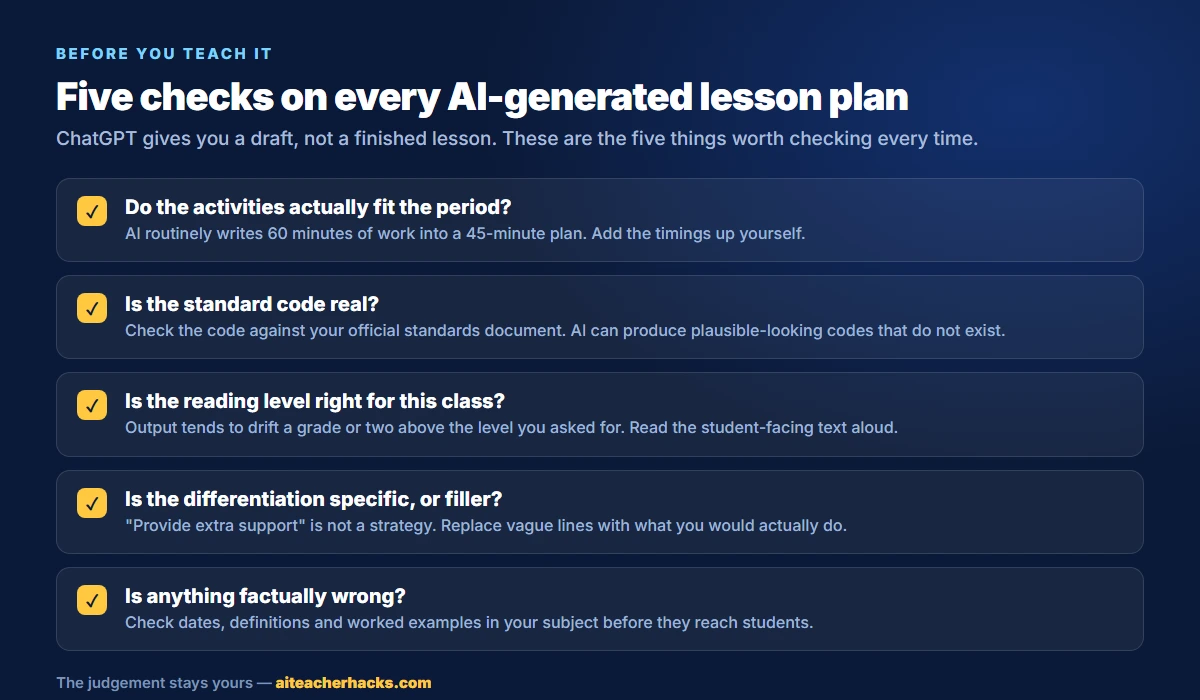
That is a usable skeleton, and it took seconds. But four things in it are worth a closer look, and they are the same four things that come up again and again.
1. The timings add up, but only on paper. Five plus twelve plus fifteen plus ten plus three is forty-five exactly. What that arithmetic ignores is transition time. Getting a class into pairs and settled costs two or three minutes that appear nowhere in the plan. In practice this is a 50-minute lesson wearing a 45-minute label.
2. The differentiation line is filler. “Provide additional support” is not a strategy — it is a placeholder that sounds like one. This is the single most common weakness in AI-generated plans. If you want something usable, ask again and be concrete: a partially completed diagram for students who need scaffolding, and a question about why the cycle is a closed system for students who finish early.
3. The standard needs checking. MS-ESS2-4 is a real code, and it is about the cycling of water driven by energy from the sun and gravity. That happens to fit. But AI produces plausible-looking codes with the same confidence whether or not they exist, so the fact that one looks right is not evidence that it is. Open your standards document and confirm it.
4. The exit ticket asks the wrong question. “What drives evaporation?” tests recall of one word. If the objective is that students can describe how water moves between systems, the exit ticket should ask them to do that. This mismatch between objective and assessment is easy to miss because both halves individually look fine.
None of this makes ChatGPT unusable. It makes it a drafting tool. The draft saves you the blank page; the four checks above are where your professional judgement earns its keep.
Tips to Get Better Results from ChatGPT
Be specific. The more details you give, the better the output. Always include grade level, subject, topic, time available, and any special requirements.
Use follow-up prompts. ChatGPT can add specific content or activities, personalize based on learner variability, add bonus activities, modify activities to use specific materials, and devise assessment methods. Just keep the conversation going.
Always review the output. ChatGPT is a helper, not a replacement. Always check the lesson plan for accuracy and make sure it fits your students’ needs before using it in class.
Save your templates. Build a personal library of prompts organized by subject and grade level. This saves even more time each week.
What ChatGPT Cannot Do for Lesson Planning
ChatGPT can produce a useful first draft, but it does not know your classroom the way you do. These are the limits worth knowing before you rely on it.
It does not know your students. Unless you tell it, ChatGPT has no idea what your class already understands, which activity worked last week, or which learners need extra support. That context has to come from you.
It can get standards wrong. If you ask for alignment to a specific standard, verify the code against your state or curriculum authority’s official documentation. AI can generate plausible-looking but incorrect codes.
Its timing may not survive a real classroom. A plan can allot five minutes to an activity that takes fifteen with actual students. Check that the activities add up to your real class period.
It does not replace curriculum knowledge. ChatGPT can organise ideas and suggest activities, but you decide whether the content is accurate, age-appropriate and right for your curriculum.
Treat the output as a draft, not a finished lesson.
What Can ChatGPT Help Teachers With Beyond Lesson Plans?
Once you get comfortable, ChatGPT can also help you with:
- Writing quiz questions and multiple choice assessments
- Creating rubrics for assignments
- Differentiating materials for special education students
- Writing parent communication emails
- Simplifying complex texts for struggling readers
- Translating materials for ESL students
- Generating creative project ideas
For more on this, see our guide to AI tools for special education teachers.
Free vs Paid ChatGPT — Which Do Teachers Need?
The free version is enough for many teachers who only need occasional lesson-planning help. It handles drafting, quiz questions and content creation at no cost.
Paid plans give higher usage limits, access to more capable models and faster responses, which matters if you are leaning on it every day. Plan names and prices change regularly, so check the current options before subscribing — you do not need a paid plan simply to try ChatGPT for lesson planning.
Conclusion
ChatGPT is one of the most powerful free tools available to teachers today. Check out our guide on the best AI tools for teachers in 2026 for more options. The value is in what happens after that first draft: you check the content, verify any standards, adjust the timing and adapt the activities to your actual students.
Start simple. Pick one lesson you need to plan this week, use one of the prompts above, and see the results for yourself. Learning how to use ChatGPT to write lesson plans is one of the best skills a modern teacher can develop.
Frequently Asked Questions
Yes. ChatGPT has a free plan that teachers can use for drafting lesson plans, brainstorming activities and creating questions. Free-plan limits and available features change over time, so check the current plan details before relying on a specific feature.
It depends on the complexity of the lesson and how much detail you give it. ChatGPT can produce a first draft quickly, but you should still review the objectives, activities, timing, standards and differentiation before using it in class.
No, provided your school or district allows it. ChatGPT helps with drafting and brainstorming, but you still make the professional decisions about what your students need. Review and adapt the plan rather than treating AI output as finished curriculum.
It can suggest an alignment when you name the relevant standard or framework in your prompt. However, AI can produce incorrect or outdated standards codes, so always verify the code against the official standards source before using it in a lesson plan or any official documentation.
It can draft lesson plans for elementary, middle and high school subjects. The quality depends on your prompt and your review. Give it the grade level, subject, learning objective, available time and any relevant classroom requirements.