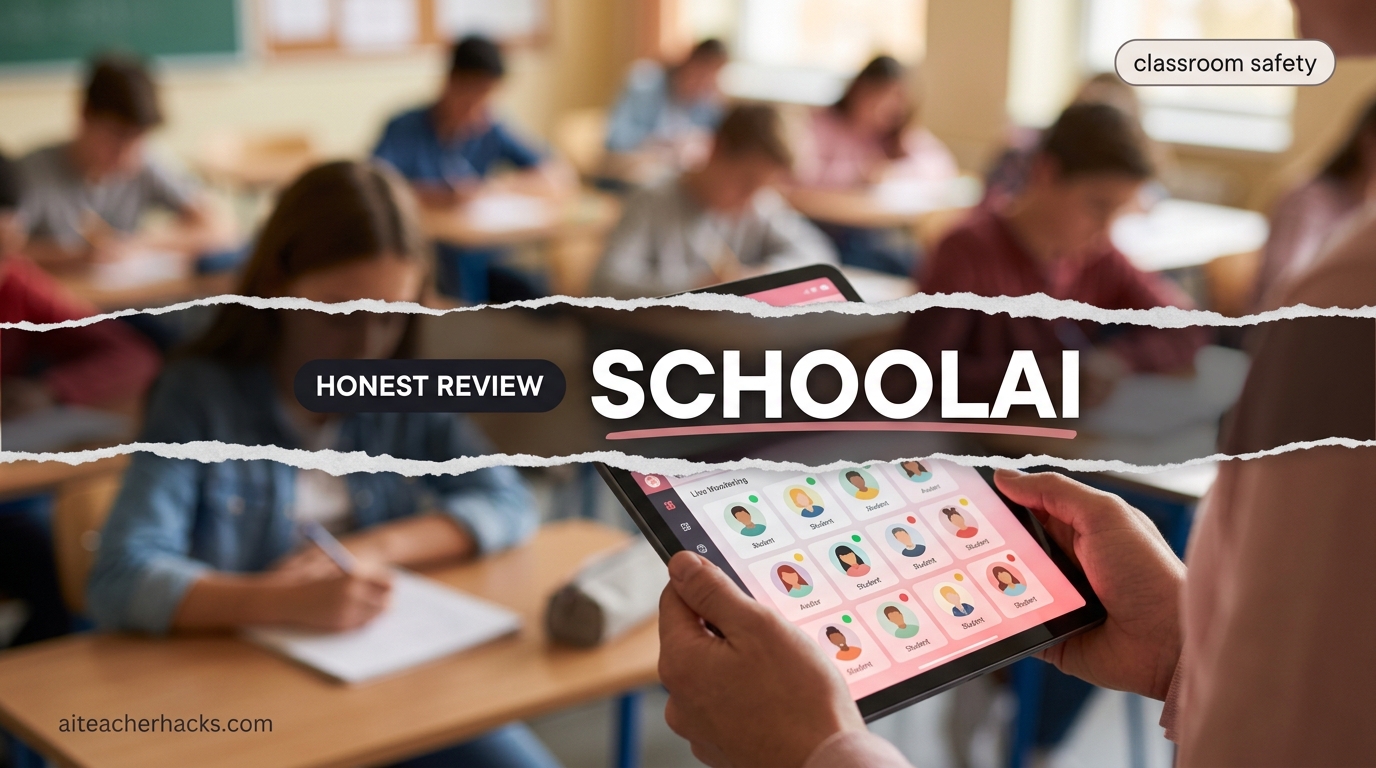
Yes, SchoolAI is worth considering if you want to let students use AI while still keeping an eye on what they’re doing. It gives teachers tools to create guided AI activities, monitor student conversations, and set up classroom-focused Spaces.
In this SchoolAI review, I’ll cover what it does, whether it’s free, how safe it is for student data, how students join with a code, and how it compares with tools like ChatGPT and MagicSchool AI.
I’ve also looked at SchoolAI from a teacher’s perspective to see where it is genuinely useful — and where another AI tool may be a better choice.
Table of Contents
What Is SchoolAI?
SchoolAI is a comprehensive AI platform for K-12 schools that provides both student-facing AI tools and teacher management controls. Unlike MagicSchool — which is primarily a teacher tool — or ChatGPT — which is not designed for education — SchoolAI is built for the complete classroom AI ecosystem. Students get AI learning assistance while teachers maintain full visibility and control over how AI is used in their classroom.
SchoolAI is trusted in over 1 million classrooms across all 50 US states and 80+ countries. SchoolAI says it is FERPA and COPPA compliant and is SOC 2 Type II compliant.. Student data is never sold or used to train AI models.
The core product is simple: teachers create controlled AI environments called Spaces. Students interact with AI inside those Spaces. Teachers see every conversation in real time.
Getting Started With SchoolAI
New to SchoolAI? This short video walks through how the platform works and how teachers can get started.
Is SchoolAI Safe for Students?
Yes, SchoolAI is generally safe for students, but it’s still important to quickly check privacy and safety before using it.
Is SchoolAI FERPA compliant?
Yes, SchoolAI is FERPA compliant and uses student-data protections for schools. It also says third-party AI providers are not allowed to train on or sell student data.
Is SchoolAI COPPA compliant?
Yes, SchoolAI is COPPA compliant, which is important for younger students.
What about student data?
SchoolAI says it does not sell student data or use it to train AI models. It also claims SOC 2 Type II compliance and provides data privacy agreements for schools and districts to help meet institutional requirements.
Who Is SchoolAI Actually For?
SchoolAI works best for:
- K-12 classroom teachers who want to integrate student AI use safely — with visibility and guardrails
- School administrators who need oversight of how AI is being used across classrooms
- Special education teachers who need personalized AI support tools for diverse learners
- Schools actively trying to integrate AI rather than ban it
When a teacher said “I’m not worried about AI replacing me — I’m worried about my students using it to cheat,” SchoolAI was solving exactly the right problem.
If you want a teacher-side-only tool for lesson planning and IEPs, MagicSchool AI covers that better. SchoolAI’s core value is the student-facing AI paired with teacher controls — a combination most other tools on this list don’t offer together.
How Do Students Join SchoolAI With a Code?
One of the simpler parts of SchoolAI is getting students into a Space.
- Create or choose a Space.
- Launch the Space.
- Select the option to invite students.
- SchoolAI provides a Space Code, link, or QR code.
- Share it with your students.
- Students open the link or enter the code and join the Space.
Students can also be invited through supported LMS integrations (Google Classroom or Canvas) and SSO integration (Clever or Microsoft).
SchoolAI Key Features — What They Actually Do
1. Spaces — Teacher-Controlled Student AI Environments
This is SchoolAI’s defining feature and what makes it genuinely different from every other AI tool in education.
SchoolAI’s Spaces feature allows teachers to create custom AI-powered learning environments for students — a tutor for a specific unit, a writing coach with defined guardrails, or a Socratic discussion partner. Students access these controlled AI experiences, and teachers see exactly what each student asked and received. This visibility is crucial for responsible AI integration in schools.
Each Space has:
- A specific topic or subject scope you define
- Guardrails that prevent the AI from going off-topic
- A student-friendly interface accessible via a simple join code
- Custom instructions you set for students with specific needs
Students join with a code. They chat with the AI. You see every conversation in real time on a teacher dashboard. That last part is SchoolAI’s best feature — not the AI itself, but the visibility.
Practical example: A history teacher creates a Space focused on the Civil War. Students can ask questions and get AI explanations — but only within that topic. The AI cannot help them with their math homework or write their essay for them. The teacher sees every question asked and every answer given.
2. Mission Control Dashboard — Real-Time Student Monitoring
The Mission Control dashboard and safety alerts are standout features that set SchoolAI apart from most tools in this category.
Mission Control shows teachers:
- Every student conversation in real time
- Which students are struggling based on their questions
- Safety alerts when a student interaction triggers concern flags
- Engagement data — who is actively using the Space vs who has not logged in
Mission Control is more than a chat-history viewer. SchoolAI’s current version can show student activity, progress toward learning outcomes, engagement signals, alerts, and individual student conversations. Teachers can use these signals to identify students who may need help while the activity is still happening.
For me, this is the feature that makes SchoolAI different from simply giving students access to a general AI chatbot. The important part isn’t just that students can use AI — it’s that the teacher gets visibility into how they’re using it.
3. Dot — AI Teaching Assistant for Teachers
Dot is SchoolAI’s AI teaching assistant that helps with lesson planning, rubric creation, and instructional feedback.
Think of Dot as SchoolAI’s answer to the teacher-side tools that MagicSchool AI offers. It handles:
- Lesson plan generation
- Rubric creation
- Quiz and assessment building
- Differentiated material creation
- IEP and special education support tools
Honest comparison: Dot is useful but does not match MagicSchool AI’s depth of 80+ specialized teacher tools. If IEP writing and behavior plans are your priority, MagicSchool AI remains the stronger dedicated choice. Read our full MagicSchool AI review for the comparison.
4. PowerUps — Student Learning Tools
SchoolAI includes PowerUps like Flashcard Creator and Presentation Builder, with support for 60+ languages.
PowerUps are AI-powered learning activities students can run inside Spaces:
- Flashcard creator from any uploaded content
- Presentation builder for student projects
- Quiz generator from class notes
- Study guide creator
These keep students productively engaged with AI tools rather than using generic ChatGPT — within the guardrails you set.
5. 200,000+ Premade Spaces
SchoolAI includes over 200,000 premade Spaces created by teachers across the platform. If you teach 5th grade science, someone has likely already built a Space for photosynthesis, ecosystems, and the water cycle. You browse, copy, and customize rather than building from scratch.
This dramatically reduces the setup time that is SchoolAI’s main friction point for new users.
6. Safety and Privacy
SchoolAI is fully FERPA, COPPA, and FIPPA compliant with SOC 2 Type 2 certification. Student data is never sold or used to train AI models. The platform includes content filtering by grade level and subject, teacher alert systems for concerning student interactions, and an AI Ethics Advisory Council.
The “privacy first” design and no-training-data policy are genuine commitments — not just marketing language. For schools with strict data governance requirements, the SOC 2 Type 2 certification is a meaningful standard that many competing tools cannot claim.
SchoolAI Pricing
Free Plan | Pro Plan | Scale Plan |
|---|---|---|
$0 | Custom quote-based (estimated $5.00 to $10.00/student annually) | Custom enterprise quote (District-wide) |
✓ Baseline student-safe compliance (FERPA/COPPA | ✓ Student information system (SIS) rostering | ✓ Full LMS integration |
✓ Access to over 200,000 pre-built spaces | ✓ School wide data analytics dashboards | ✓ Single sign-on (SSO) |
✓ Real-time "Mission Control" student monitoring | ✓ Dedicated customer success managers | ✓ District-wide AI control toggles |
✓ Basic chat with Dot | ✓ Browser Extension | ✓ Advanced AI Notetaker |
✓ Core LMS integration | ✓ Dedicated Service Level Agreements (SLAs) | |
✓ Custom Data Privacy Agreements (DPAs) |
Is SchoolAI's Free Plan Enough?
For testing SchoolAI, the free option can be enough. You can create Spaces, try the student experience, and see whether Mission Control fits the way you teach.
For regular use, however, the important question is not simply whether SchoolAI is free — it’s whether the limits fit your classroom.
If you’re testing one or two activities, the free option may be all you need. If you’re planning to use SchoolAI across multiple classes, subjects, or units, check the current plan limits before building your entire workflow around the free version.
I will suggest: Start free, test one real classroom activity, and only consider paying after you know which SchoolAI features you actually need.
How I Would Use SchoolAI in a Classroom
If I were using SchoolAI with a class for the first time, I wouldn’t start by creating a complicated Space.
I’d start with one small activity — for example, a 10-minute review session, Socratic discussion, or exit ticket.
I’d preview the Space first, give students the join code, and then watch Mission Control while they work. The goal wouldn’t be to watch every message constantly; it would be to look for patterns:
-
Which students are stuck?
-
Are students asking the AI for answers instead of thinking?
-
Is the AI staying within the lesson?
-
Which students need direct teacher support?
That’s where I think SchoolAI becomes more useful than simply giving students access to a general chatbot. The teacher can use the AI interaction as another source of classroom feedback rather than treating it as a separate activity.
Common SchoolAI Mistakes to Avoid
- Giving students a Space without previewing it.
Run through the activity yourself first. Check whether the AI follows your instructions and whether the difficulty is appropriate for your students. - Making the Space too open-ended.
Tell the AI what students are supposed to learn and how it should respond. Clear instructions usually produce a more useful learning experience. - Treating Mission Control as surveillance.
The purpose of monitoring should be to identify students who need help, not simply to watch every conversation. Use the information to make better teaching decisions. - Using AI without a clear learning objective.
Don’t create a Space just because AI is available. Start with the lesson goal and then decide whether SchoolAI actually improves the activity. - Not testing the student experience.
Always preview the Space from the student’s perspective before sharing it with your class.
SchoolAI Pros and Cons
Pros
- Real-time teacher visibility into every student AI conversation — a feature most competing tools don’t offer
- FERPA, COPPA, and SOC 2 Type 2 certified — strongest privacy credentials in the category
- 200,000+ premade Spaces — reduces setup time significantly
- Safety alerts for concerning student interactions built in
- Supports 60+ languages — excellent for multilingual classrooms
- Free plan includes Mission Control monitoring
- Actively maintained — regular feature updates in 2026
Cons
- Free plan limited to 3 Spaces — too few for most classroom use cases
- Setup time is the main drawback — creating effective Spaces takes more initial investment than tools like MagicSchool AI
- Teacher-side tools (Dot) less comprehensive than dedicated platforms like MagicSchool AI
- Compliance documentation gap for schools with strict data governance — some certifications not publicly documented
- Requires consistent teacher management — Spaces need monitoring to stay effective
- Less useful as a standalone teacher productivity tool
What SchoolAI Still Cannot Do
Important context before recommending it to your school:
SchoolAI cannot replace MagicSchool AI for the depth of teacher-side tools — IEPs, behavior plans, and the 80+ specialized workflows MagicSchool covers are simply more comprehensive than what Dot currently offers.
It cannot replace Diffit for rapid text leveling across multiple reading levels. It cannot replace Brisk Teaching for grading written work directly inside Google Docs.
One of SchoolAI’s strongest advantages is putting students in controlled AI environments while giving teachers real-time visibility into their activity.
SchoolAI vs ChatGPT: Which Is Better for Teachers?
SchoolAI and ChatGPT solve different problems.
Choose SchoolAI when students are going to use the AI themselves and you want teacher visibility, controlled learning environments, and classroom-specific guardrails.
Choose ChatGPT when you are the teacher using AI for planning, brainstorming, writing, research, or other general-purpose tasks.
Feature | School AI | ChatGPT |
|---|---|---|
Designed specifically for K–12 classrooms | Yes | General-purpose |
Student-facing classroom Spaces | Yes | No equivalent Space workflow |
Teacher monitoring | Mission Control | Not designed for teacher monitoring of student chats |
Controlled learning environment | Yes | Requires your own setup/prompts |
General-purpose AI | More limited | Strong |
Teacher planning | Yes, through Dot | Strong |
Best use | Student-facing AI | Teacher-side AI |
I wouldn’t think of SchoolAI and ChatGPT as direct replacements. For many teachers, the better approach is to use a general AI tool for your own planning and SchoolAI when you intentionally give students access to AI.
SchoolAI vs MagicSchool AI — Which Is Better?
This is the most common question teachers ask when evaluating SchoolAI.
Feature | School AI | MagicSchool AI |
|---|---|---|
Student-facing AI | ✓ Core feature | ✓ MagicSchool |
Teacher visibility of student AI use | ✓ Real-time Mission Control | △ Limited |
Teacher-side tools | △ Good via Dot | ✓ 80+ tools |
IEP and SPED tools | △ Basic | ✓ Excellent |
Free Plan | ✓ 3 Spaces | ✓ Generous |
Privacy certifications | ✓ SOC 2 Type 2 | ✓ FERPA compliant |
Premade content library | ✓ 200,000+ Spaces | ✓ Tool templates |
Setup time | △ Higher | ✓ Very low |
These tools are not competitors — they are complements. Use SchoolAI for student-facing controlled AI experiences with full teacher visibility. Use MagicSchool AI for teacher-side lesson planning, IEPs, and differentiation. Many schools use both.
Recommended Workflow: Where SchoolAI Fits
SchoolAI works best as the student-facing piece of your classroom AI strategy — not a replacement for your teacher-side tools.
Your teacher workflow:
- MagicSchool AI — lesson planning, IEPs, differentiation
- Brisk Teaching — essay feedback inside Google Docs
- Diffit — leveled reading materials
- Canva for Education — classroom visuals
Your student workflow:
- SchoolAI Spaces — controlled AI tutoring with your guardrails and full visibility
- Khanmigo — Socratic math and science coaching
- Grammarly — grammar and writing mechanics
Total personal teacher cost for this entire stack: $0 to $6/month.
Is SchoolAI Worth It in 2026?
Rating: 8/10 — The best student-facing AI tool available. Setup time is the only real drawback.
For teachers whose primary concern is responsible student AI integration with full visibility — SchoolAI is the best solution available in 2026. Nothing else gives teachers real-time visibility into every student AI conversation while maintaining strong privacy standards.
If your school wants students using AI in the classroom rather than banning it, SchoolAI is the platform that puts teachers in control.
Weighing it against MagicSchool AI specifically? See our SchoolAI vs MagicSchool AI comparison — supervised student chat vs. teacher content generation.
Want to compare SchoolAI side by side against any of 100+ other AI tools? Try our AI tool comparison tool.Frequently Asked Questions
SchoolAI is an AI platform designed for K–12 classrooms. Teachers can create controlled AI activities called Spaces and monitor student interactions through Mission Control.
Yes, SchoolAI is COPPA compliant and designed for use with students, including younger learners. Teachers and schools should still follow their own student-data and parental-consent requirements.
SchoolAI does not sell student data or use student data to train AI models. Teachers and schools should review the current privacy policy and data agreements for the most up-to-date details.
Students can join a teacher’s Space using a Space Code or another supported sharing method. The teacher creates the Space, shares the joining information, and students use it to access the activity.
Mission Control is SchoolAI’s teacher dashboard. It gives teachers visibility into student activity and conversations and can provide engagement and safety-related insights while students are using SchoolAI.
It depends on how you plan to use AI. SchoolAI is designed for student-facing classroom use with teacher controls and monitoring. ChatGPT is a more general-purpose AI tool that is particularly useful for teachers’ own planning, brainstorming, writing, and research.
Not necessarily. The two tools focus on different needs. SchoolAI is particularly useful when students are interacting with AI under teacher supervision, while MagicSchool AI offers a broader range of teacher-focused tools for planning, differentiation, assessment, and other classroom tasks.
A Space is a teacher-created AI learning environment built around a specific topic, activity, or learning goal. Teachers can provide instructions and controls to guide how the AI interacts with students.
SchoolAI is worth trying if you want students to use AI while maintaining more teacher visibility and control. I recommend starting with the free option, testing one or two real classroom activities, and deciding whether its features fit your teaching workflow before paying for a plan.