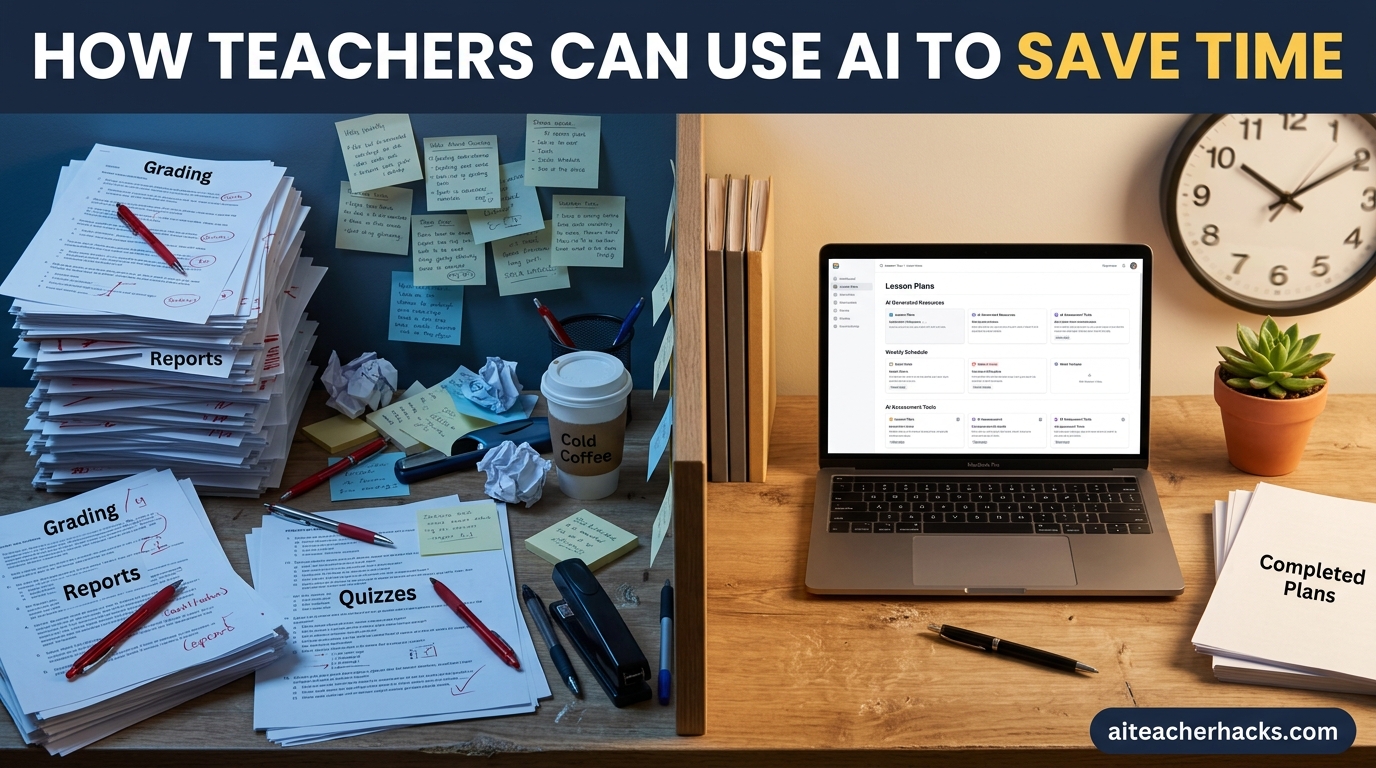
Are you a teacher who feels like there are never enough hours in the day? You are not alone. Between lesson planning, grading, parent emails, and administrative tasks, teaching has become one of the most time-consuming professions in the world.
The good news is that using AI to save time is no longer complicated. This guide walks through five specific tasks where AI genuinely helps, with a working prompt for each and a simple weekly routine you can start this week. If you want a comparison of which AI tools to use, our AI tools for teachers guide covers that — this one is about building the habit.
Table of Contents
How Much Time Can AI Really Save Teachers?
This is not just theory. According to a 2025 study by Gallup and the Walton Family Foundation of over 2,200 teachers, those who use AI tools at least weekly save an average of 5.9 hours per week. Over a 37-week school year, that adds up to roughly six full weeks.
The same study found the most common uses were preparing to teach (37%), making worksheets or activities (33%), and modifying materials to meet student needs (28%) — which is why this guide focuses on exactly those tasks.
Teachers who use AI weekly also report higher quality in their work compared to occasional users. What do they do with the time back? Mostly it goes into more nuanced student feedback, more individualized lessons, better parent communication, and getting home at a more reasonable hour.
1. Lesson Planning — The Biggest Weekly Time Drain
Lesson planning is the single biggest time drain for most teachers. Writing lesson plans from scratch is one of the tasks that reliably eats into evenings and weekends. AI cuts this down to 10–15 minutes per plan.
How to do it: Use ChatGPT or MagicSchool AI to generate a complete lesson plan in minutes. Just enter your grade level, subject, topic, and time available.
Example prompt: “Create a 45-minute lesson plan for 5th grade students on the water cycle. Include learning objectives, materials, warm-up, main activity, and exit ticket. Align with Common Core standards.”
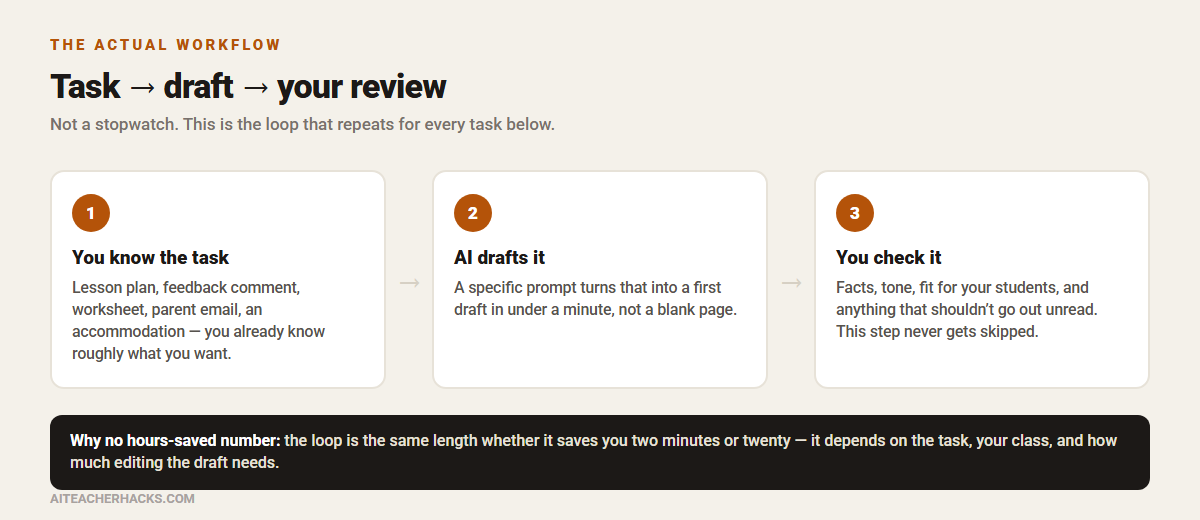
ChatGPT returns a full lesson plan in under 60 seconds. You review, adjust, and done.
2. Grading and Feedback — Where AI Helps Most
Grading written work is incredibly time-consuming. Providing timely and constructive feedback is crucial for student growth, but it can eat into evenings just as much as lesson planning.
How to do it: Install Brisk Teaching — a free Chrome extension that works directly inside Google Docs. Open a student essay, click the Brisk icon, and get rubric-aligned feedback in seconds. Teachers commonly report the first pass on feedback goes noticeably faster, though how much depends on the assignment and how much you end up rewriting.
For multiple-choice quizzes and assessments, use Google Forms with auto-grading enabled — zero grading time required.
What you still do: Check that the feedback actually reflects the student’s work, and never let AI make the final grading call just because it sounds confident.
3. Worksheets and Classroom Materials — Fastest to Get Started
The most common time-saving applications of AI for teachers include creating worksheets and assessments, generating classroom materials, and drafting communications to parents.
How to do it:
- Use MagicSchool AI to generate differentiated worksheets, exit tickets, and rubrics in minutes
- Use Diffit to instantly convert any text to the right reading level — no manual rewriting needed
- Use Canva for Education to turn AI-generated content into beautiful, print-ready worksheets instantly
What you still do: Check the worksheet for accuracy and make sure it actually matches where your class is in the curriculum — AI does not know what you covered last week.
4. Parent and Administrative Communication — Easiest First Step
Writing parent emails, progress reports, and report card comments is repetitive and time-consuming. AI handles the drafting so you only need to review and send.
How to do it: Use ChatGPT or MagicSchool AI with prompts like:
- “Write a professional, encouraging progress update email to parents of a 4th grade student who is struggling in reading. Suggest 3 specific ways they can help at home.”
- “Generate 30 personalized report card comments for students at different performance levels in 5th grade math.”
What you still do: Read every draft before sending. AI does not know your relationship history with a family or that last week’s meeting went badly — that context is yours, and never put a student’s confidential details into a general-purpose tool.
5. Differentiation and Accommodations — Most Underused AI Task
Creating differentiated materials for mixed-ability classrooms, ESL students, and students with IEPs is one of the most time-consuming parts of modern teaching.
How to do it: Use Diffit to instantly adjust any text to multiple reading levels. Use MagicSchool AI’s IEP Generator to create behavior plans and accommodations in minutes. Use ChatGPT to create three versions of any assignment at different difficulty levels with one prompt.
What you still do: Verify that a generated accommodation actually matches the student’s IEP — AI is working from your prompt description, not the document itself.
A Simple Weekly AI Routine for Teachers
Here is a simple weekly routine built around the five tasks above — not a promise of an exact number of hours, but a place to start.
Task | AI Tool | Notes |
|---|---|---|
Lesson plans | ChatGPT or MagicSchool AI | Biggest weekly time drain for most teachers |
Written feedback | Brisk Teaching | First-pass feedback goes noticeably faster |
Worksheets and materials | MagicSchool AI + Diffit | Fastest task to see results on |
Parent emails | ChatGPT | Easy starting point — low stakes to experiment |
Differentiated materials | Diffit + MagicSchool AI | Most underused by teachers new to AI |
Important Tips for Getting Started
Start with one task. Do not try to use AI for everything at once. Pick your biggest weekly time drain — likely lesson planning — and master AI for that one task first.
Always review AI output. AI takes the repetitive drafting off your plate so you can refocus on feedback, questioning, and relationship-building. You still set the goals and verify accuracy. Never send AI-generated content to students or parents without reviewing it first.
Use AI weekly, not occasionally. Schools with a clear AI policy tend to see steadier adoption, because staff are not each deciding the rules for themselves. Consistency is what makes the habit stick.
Build a prompt library. Save every prompt that works well in a Google Doc. Over time you will build a personal library organized by subject and task.
The Best Free AI Tools for Saving Teacher Time
Here is a quick summary of the tools covered in this guide:
- ChatGPT — Best for lesson planning and parent communication. See our full guide on using ChatGPT for lesson plans.
- MagicSchool AI — Best all-in-one platform for teachers. Read our MagicSchool AI review.
- Brisk Teaching — Best for grading written work in Google Docs. Read our Brisk Teaching review.
- Diffit — Best for differentiating reading materials instantly.
- Canva for Education — Best for creating visual classroom materials.
For the full list, see our guide to the best AI tools for teachers.
Final Thoughts
AI is most useful for teachers when it takes the repetitive drafting work off your plate without taking your judgement out of the loop. The Gallup and Walton Family Foundation research above suggests real, measurable time savings for weekly users — but the exact number will depend on your workflow, your subject, and how much editing each draft needs.
Start with one task — lesson planning is usually the biggest weekly drain. Try one prompt, review the result honestly, and keep what works. Build from there.
Frequently Asked Questions
According to a Gallup and Walton Family Foundation study, teachers who use AI weekly save an average of 5.9 hours per week — equivalent to six full weeks over a school year. That is a survey average, not a guarantee for every teacher; it depends on your workflow and how much editing each draft needs.
MagicSchool AI is the best all-in-one tool for saving time across lesson planning, grading, and communications. ChatGPT is the most flexible. Brisk Teaching is the best for grading written work in Google Docs.
It depends on the tool and what you put into it. Education-focused tools like MagicSchool AI, Brisk Teaching and Diffit publish compliance information, but that is a starting point, not a blanket guarantee — check your school or district’s AI and student-data policy, and never enter a student’s name or identifying details into a general-purpose tool.
No. All the tools mentioned in this guide have free plans that are genuinely useful for saving time without any cost.
Start with one task — lesson planning is the easiest entry point. Use ChatGPT with a specific prompt for your next lesson plan and see how it goes. Then gradually add more tools to your weekly routine.
Our AI tools for teachers guide compares which tools to use. This guide is about the workflow — which tasks to start with, what to prompt for, and what to still check yourself — regardless of which specific tool you pick.